

If you’re trying to find the Republic Finance mobile app, the fastest path is to use the official app stores or the company’s app page, then sign in with your existing account after installation. If you already manage a loan, the app is meant to help you check balances, review payments, and stay organized without digging through paperwork.
For a broader site view of related app coverage, you can also visit the mobile app category and the loan calculator guide when you’re comparing repayment options.
Find The App, Then Choose The Right Next Step
This page is best used as a practical setup guide, not a sales pitch. The goal is simple: confirm you’re using the official Republic Finance app, get it onto your phone, and know whether you should download, log in, or switch to the website.
If you need payment or borrowing context before using the app, keep the financial planning section handy while you review your loan details.
- New User download the app first.
- Existing User log in and verify account access.
- Not Sure It’s Official compare the developer name and store listing.
- Need Repayment Context use the calculator before making extra payments.
What The Republic Finance Mobile App Is For
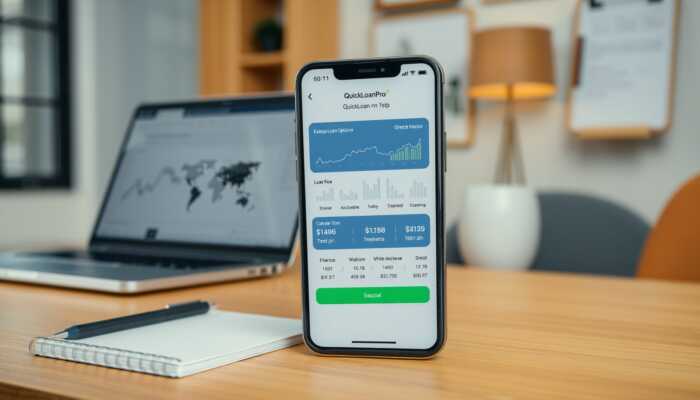
The Republic Finance mobile app is designed for account access on the go. In practical terms, that usually means checking loan status, reviewing payment history, managing reminders, and staying current on account activity without waiting to use a desktop browser.
For borrowers, that convenience matters most when you want a quick answer about an upcoming payment or need to confirm that a recent transaction posted correctly. It is also a useful companion to the company’s other online tools, especially if you’re comparing a payment date or trying to understand how extra principal could affect your balance.
If your main goal is to model payments rather than open the app right away, the loan calculator tool is the better first stop.
Download And Login Path
| Need | Best move | What to check |
|---|---|---|
| Android Download | Open Google Play and search for Republic Finance. | Confirm the publisher and app name match the official listing. |
| Iphone Download | Open the App Store and search for Republic Finance. | Check the seller name, ratings, and screenshots before installing. |
| Existing User Login | Install the app, then sign in with your current account details. | Use the same contact information tied to your loan profile. |
| Unsure Whether To Use App Or Website | Use the app for quick account checks and the website for a broader review. | Choose whichever gives you the clearest view of your payment plan. |
How To Set It Up Safely
1. Verify The Listing
Before installing anything, compare the app name, publisher, and logo with the official Republic Finance presence so you don’t land on an imitation listing.
2. Install From The Store
Use the official app store on your device rather than a third-party download link. That keeps the installation and updates under normal store protections.
3. Log In With The Right Account
If you already have a Republic Finance loan, use the credentials tied to that account. If you’re new, follow the app prompts to create or activate access.
4. Turn On Reminders You’ll Actually Use
Payment alerts can help, but only if they fit your routine. Start with due-date reminders and keep notifications focused on the actions that matter most.
If you’re using the app to stay ahead of a payment, it helps to pair it with a quick repayment estimate first. That’s where the calculator guide fits naturally into your decision process.
What To Expect Once You’re Inside
Most app experiences in this category center on a few core tasks:
- Reviewing account status and loan balance
- Checking payment history and upcoming due dates
- Setting reminders so missed payments are less likely
- Tracking progress when you make extra payments
- Staying organized without needing to call for routine updates
Good Time To Use The App before a due date, after a payment posts, or when you want a quick status check.
Better Time To Use The Website when you need a fuller review of account details, documents, or a broader borrowing decision.
Use It With A Repayment Mindset
A mobile app is most useful when it supports a borrowing plan instead of replacing one. If you’re checking whether a payment fits your budget, or whether a small extra payment could shorten the loan timeline, review the numbers first and then use the app to keep that plan on track.
That’s also why the app fits naturally alongside broader money-management content on this site. The Finance & Business section is useful when you want to step back and look at loans, budgeting, and repayment choices together.
Need A Simple Next Step?
If you already have a Republic Finance loan, download the official app, sign in, and confirm your payment schedule. If you are still comparing repayment options, check the calculator first so you know what the app is helping you manage.
Common Questions

Oliver Pearson is a dedicated writer at QuickLoanPro, where he explores a wide range of general topics, focusing on financial literacy and innovative lending solutions. With a keen eye for detail and a passion for empowering readers, Oliver simplifies complex financial concepts, making them accessible to all. His ability to engage audiences with informative and relatable content has established him as a trusted voice in the financial writing community.



The QuickLoanPro Mobile App sounds like a transformative tool for managing personal finances. In a world where financial literacy is more important than ever, having access to a platform that not only tracks loans but also provides educational resources and community support can make a significant difference.
This is a really helpful overview of the Republic Finance mobile app! I think it’s interesting how technology is changing the way we manage our finances—having an app to check balances and track payments definitely makes things a lot easier. I remember when I first started managing my loans; I was lost in paperwork!
This is such a helpful guide! I recently started using mobile apps for managing finances, and I can’t emphasize enough how much easier they make it to stay organized. The features you mentioned, like checking balances and reviewing payments, really streamline the process and eliminate the chaos of paperwork. It got me thinking about how technology has transformed our approach to managing money.